
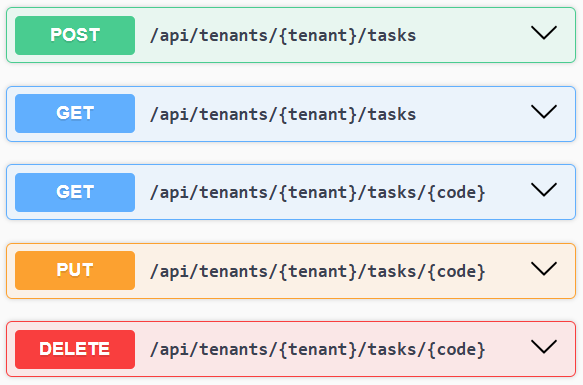
When I built Staffology in 2018, I used an approach called API-First. You build the public API first, then your customer-facing UI consumes it just like any external developer would. There’s nothing you can do in the app that you can’t also do through the API. No shortcuts. No hidden endpoints. The API never becomes a second-class citizen.
The same philosophy is behind my latest product, SodiumHQ (Practice Management++), and I’m seeing more founders heading this way – Flow with their API-first payroll, AML HQ with their anti-money-laundering platform, and plenty of early-stage teams embracing the pattern.
Most people treat API docs as a technical appendix. Often using the default Swagger pages. Or maybe using a thirdy-party service like readme.io.
But if you’re building an API-first product, your docs can do so much more for you. They’re a marketing asset. That’s how I treated them with Staffology (see the docs here) and I think this approach contributed to its success.
Swagger won’t cut it
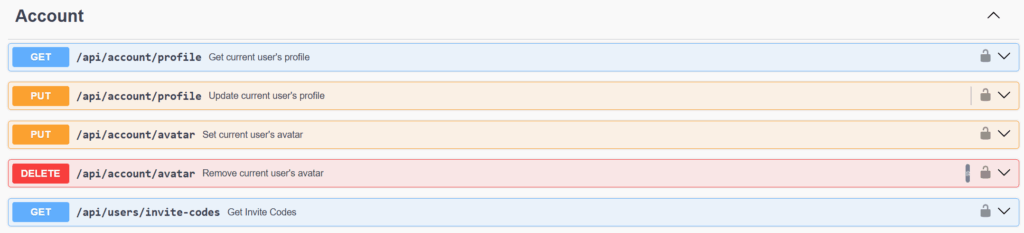
Swagger UI is fine for internal reference or a quick solution to publish early on, but it’s not brandable, not indexable, and not something you’d proudly put in front of customers. It’s generic. It looks like everyone else’s. And more importantly, it lives outside your main website.
You need to host them on your main website, in your own brand and be fully indexable. Here’s why (and at the end, how).
1. They give you keyword-rich pages for SEO
Every operation, every model, every example request becomes crawlable content. Suddenly you’ve got hundreds of pages of tightly-targeted, high-intent keywords—“Create CIS300 submission”, “List payroll periods”, “Verify subcontractor”, whatever your product does. Google loves that. Developers love that. Your competitors won’t.
2. They show depth and seriousness
A polished API documentation site signals confidence. It tells prospective customers, partners, and integrations teams that your platform isn’t a toy. It’s structured. It’s thought through. It’s stable.
If someone is comparing you with an alternative and they see:
One product with a bare Swagger dump
Another product with a fully-designed, branded and integrated API reference
…it’s obvious which one looks more mature.
And not just for developers. Non-technical decision makers can see the difference, even if they think cURL is something you do to your hair.
3. They become part of your product story
When your documentation is well-designed and proudly visible, it becomes a natural extension of your marketing website. The docs reveal depth of functionality and what can be automated, what can be integrated, and how the whole system behaves behind the scenes. It turns something usually hidden into a clear, confident statement about the capability and structure of your platform.
For B2B SaaS, that kind of transparency is genuinely persuasive.
4. They shorten your sales and onboarding cycles
At Staffology, many of the larger customers were already using the API before they ever got in touch. Their developers had built a proof-of-concept on their own because the docs made it easy. By the time they contacted us, the technical due-diligence was already done because the docs were easy to find and a joy to use.
That kind of self-serve onboarding removes friction, reduces support demands, and speeds up every part of the sales process.
Hopefully I’ve convinced you that your docs deserve the same amount of love and attention as you give to your homepage
Here’s how we did it
Here are the Sodium API docs.
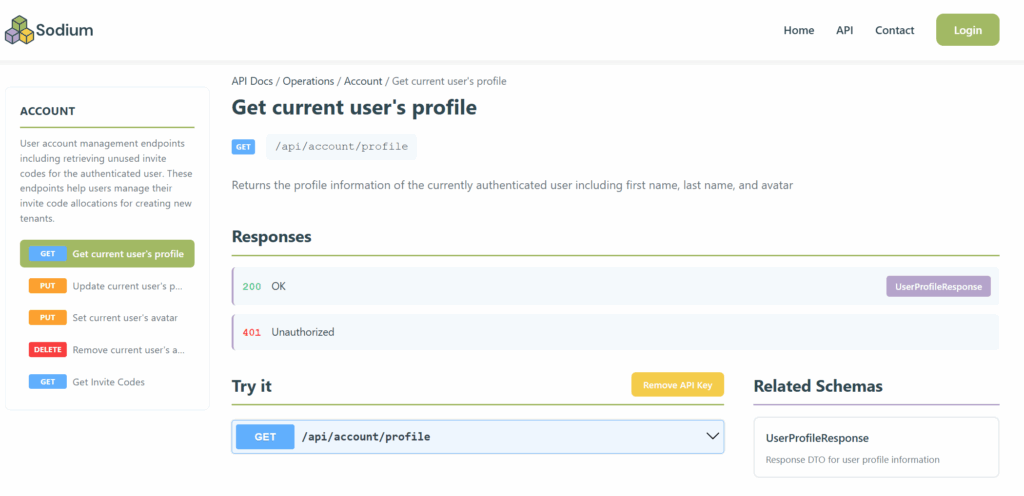 We had Claude generate a script that will parse the open API (swagger.json) and build the pages for us. It takes code from our website (header, footer, menu, etc) and injects it in the relevant places and then produces a bunch of static HTML pages with working test forms. It even supports authentication and will remember values to save you pasting the same GUID every time. So not just nice to look at, but nice to use.
I spent a few hours getting them refined just through prompting claude – move that there, hide this, make that bigger, change the color of that.
The resultant script is long and messy and inefficient, but it doesn’t matter. It’s not production code, it’s a utility.
As part of our build pipe line for the site we grab the latest swagger.json and rebuild the docs, it takes a few seconds.
So as our API grows and evolves, the docs take care of themselves.
Give your API documentation the attention, design, and visibility it deserves. It’ll pay you back many times over.

Recent Comments